




Design the Way You Work, Think, and Grow

Today we explore Personal Operating System Design, the intentional craft of shaping tools, workflows, rituals, and decision rules so your days run smoother, your projects advance reliably, and your energy is stewarded wisely. Expect practical frameworks, human stories, and adaptable patterns you can remix immediately. Share your current setup, ask questions, and subscribe if you want more field-tested templates, checklists, and experiments to help your system evolve gracefully without burning you out.

Foundations That Make Systems Stick

Before apps and automations, enduring systems begin with clarity: values, constraints, and desired outcomes. Personal Operating System Design translates purpose into operating principles, so decisions become easier and habits reinforce identity. We will map guiding stars, define guardrails, and establish evidence of progress that feels motivating, not punitive. Along the way, you will encounter small stories from real teams and solo builders who learned that simpler beats clever when pressure rises. Comment with your three guiding principles and we will help translate them into daily practices.
Choosing a few non-negotiable priorities protects your attention when requests multiply. Turn values into observable behaviors, like office hours, focus sprints, and clear stop times. Write one-line decision rules that guide tradeoffs under stress. Revisit monthly, pruning vagueness. Share your top two rules below; we will suggest practical rituals that make them visible and hard to ignore during chaotic weeks.
Weekly reviews, lightweight metrics, and honest postmortems create a learning engine. Track lead indicators you can influence today, not vanity outcomes. Celebrate tiny deltas, note friction sources, and test one tweak at a time. A founder once halved meeting chaos by color-coding commitments. Try a fifteen-minute reflection ritual, then report back with one micro-improvement you will keep.
Break the system into composable parts: capture, triage, plan, execute, review. Each module should work independently and degrade gracefully when another fails. This isolation limits blast radius after busy travel weeks. Start by defining simple inputs and outputs for each stage. Tell us which module stalls most for you, and we will propose a minimal fix you can apply tomorrow morning.

Capturing, Organizing, and Retrieving Without Friction

A personal system lives or dies by capture reliability and retrieval speed. Personal Operating System Design favors one trusted inbox, consistent naming, and search-first organization. Think PARA or project-centric maps, with tags that describe use, not vague categories. Retrieval should take seconds, especially from a phone in motion. I once rescued a derailed client meeting because a decision log surfaced with two keystrokes. Share your current capture points and we will help consolidate without losing necessary nuance.

From Intention to Action With Repeatable Flows

Turning ideas into shipped outcomes requires sturdy, humane workflows. Personal Operating System Design leans on triggers, checklists, and time-bound containers that respect energy variability. Daily startups, shutdowns, and two weekly checkpoints keep momentum visible. I borrowed a pilot’s mindset: aviate, navigate, communicate—do the work, recalibrate the plan, share updates. Adopt one ritual this week, then report results so others can learn alongside you and refine their own routines.

Daily Startup and Shutdown Rituals

Begin with a five-minute triage: calendar glance, top one outcome, constraints noted. End with a gentle shutdown: inbox to zero or noted, tomorrow’s first step written, desk reset. Protect both with calendar blocks. If interrupted, resume with a cue card. Share your favorite closing question and we will suggest a micro-template to anchor the habit.

Weekly Planning That Actually Happens

Design Friday planning that fits inside thirty minutes: review commitments, allocate time for deep work, and negotiate scope early. Use a done list to avoid pessimism. Treat weekends as recovery, protecting energy for Monday’s runway. A marketing lead reduced chaos by scheduling planning like a client. Try it this week and share the single hardest tradeoff you made.

Text-First, Link-Rich Knowledge Base

Choose markdown or similarly portable notes, enriched with backlinks and evergreen pages. Keep canonical project briefs, decision logs, and templates easy to duplicate. Use simple, descriptive titles that survive exports. Connect notes with meaningful links rather than endless folders. Share one messy page and we will propose a lean refactor that makes retrieval painless.

Tasks You Trust Across Devices

Pick a task manager that syncs flawlessly, supports quick capture, repeating templates, and smart filters. Keep projects small and verb-led. Review today, next, and waiting as your core views. Notifications should be intentional, not constant anxiety. If switching apps, migrate with a sunset period. Comment with your top three task views and we will optimize them.

Calendars, Time-Blocking, and Realistic Buffers

Treat your calendar as the truth source for time. Block deep work, admin, and recovery explicitly. Insert buffers before and after demanding sessions. Use distinct colors to spot overload instantly. Decline gracefully with alternative slots. After one week, compare plan versus reality, then adjust block sizes. Share your color key; we will suggest clearer signaling.

Let the Boring Parts Run Themselves

Automation extends attention, not replaces it. Personal Operating System Design uses event-driven triggers, tidy templates, and dashboards that surface only what matters now. Keyboard shortcuts, text expansion, and lightweight integrations can save hours monthly while reducing mistakes. A designer reclaimed mornings by auto-building agendas and pre-filling briefs. Start with one friction point today, automate a single step, and tell us what happened so others can borrow your win.

Event-Driven Automations That Respect You

Trigger actions when calendar events start, forms submit, or files arrive. Avoid chains you cannot debug half-asleep. Log every automation in a page with purpose, owner, and rollback steps. If something fails, fail loud and safe. Post one repetitive chore and we will sketch a minimal, reversible automation path.

Templates for Repeatable Projects

Create starter kits for launches, research sprints, hiring loops, and meetings. Include checklists, definitions of done, and handoff notes. Keep templates short so people actually use them. Measure cycle time before and after to prove value. Share a recurring project you run, and we will propose a lean template you can ship tomorrow.
Dashboards That Surface the Right Now

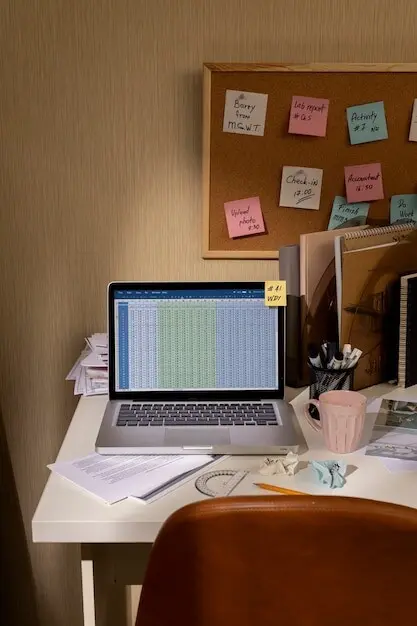
Build a single, calm homepage that displays today’s hard landscape, top outcome, active projects, and waiting items. Hide everything else by default. Add breadcrumb links into deeper layers for when curiosity strikes. Review once in the morning and once at shutdown. Post a screenshot and we will recommend refinements to reduce noise.


Design for Change and the Unexpected

Life changes; your system must evolve without drama. Personal Operating System Design anticipates failure modes, supports offline operation, and reduces single points of failure. Conduct mini postmortems after chaotic weeks, then adjust one setting at a time. Keep a travel mode, illness mode, and focus mode ready. When a client lost power for two days, printed checklists and offline notes kept delivery on schedule. Subscribe for future playbooks covering graceful degradation and recovery drills.
Zorimiravexozavosentopento
Privacy Overview

This website uses cookies so that we can provide you with the best user experience possible. Cookie information is stored in your browser and performs functions such as recognising you when you return to our website and helping our team to understand which sections of the website you find most interesting and useful.